
A zone in Home Assistant is a virtual representation of a physical space. Think of it as drawing a circle on a map; that circle represents a zone. Zones are used to track the location of people and devices but can also be used to trigger automations based on entering or leaving a zone.
Spook adds new actions to the zone integrations that allow you to manage and modify them using automations dynamically.
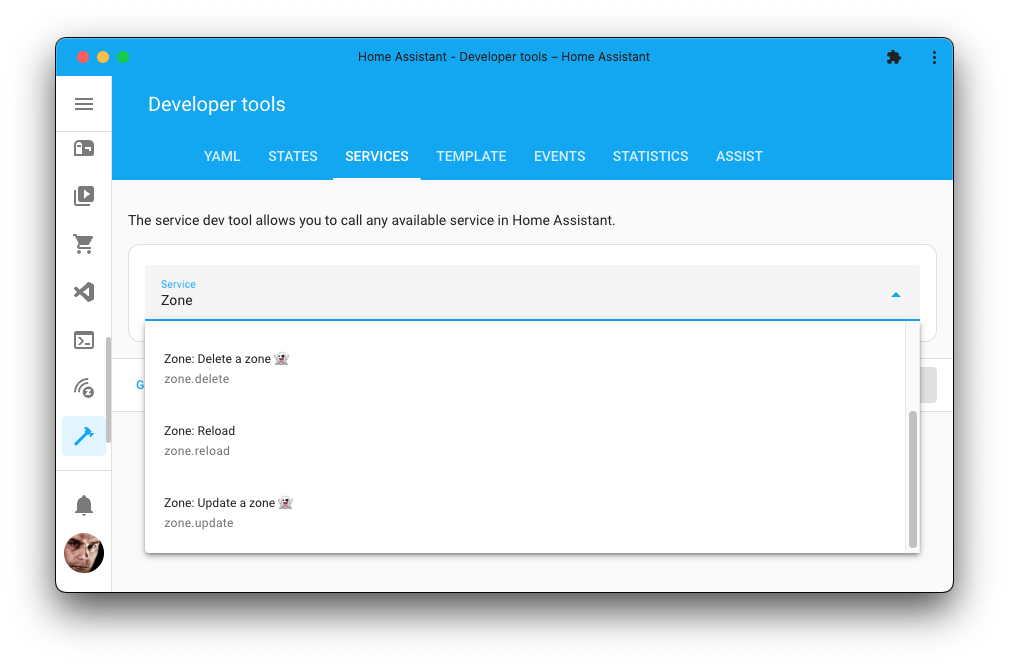
Figure 1:Spook adds an action that allows importing data into the recorder.
Devices & entities
Spook does not provide any new devices or entities for this integration.
Actions
Spook adds the following new actions to your Home Assistant instance:
Create a zone
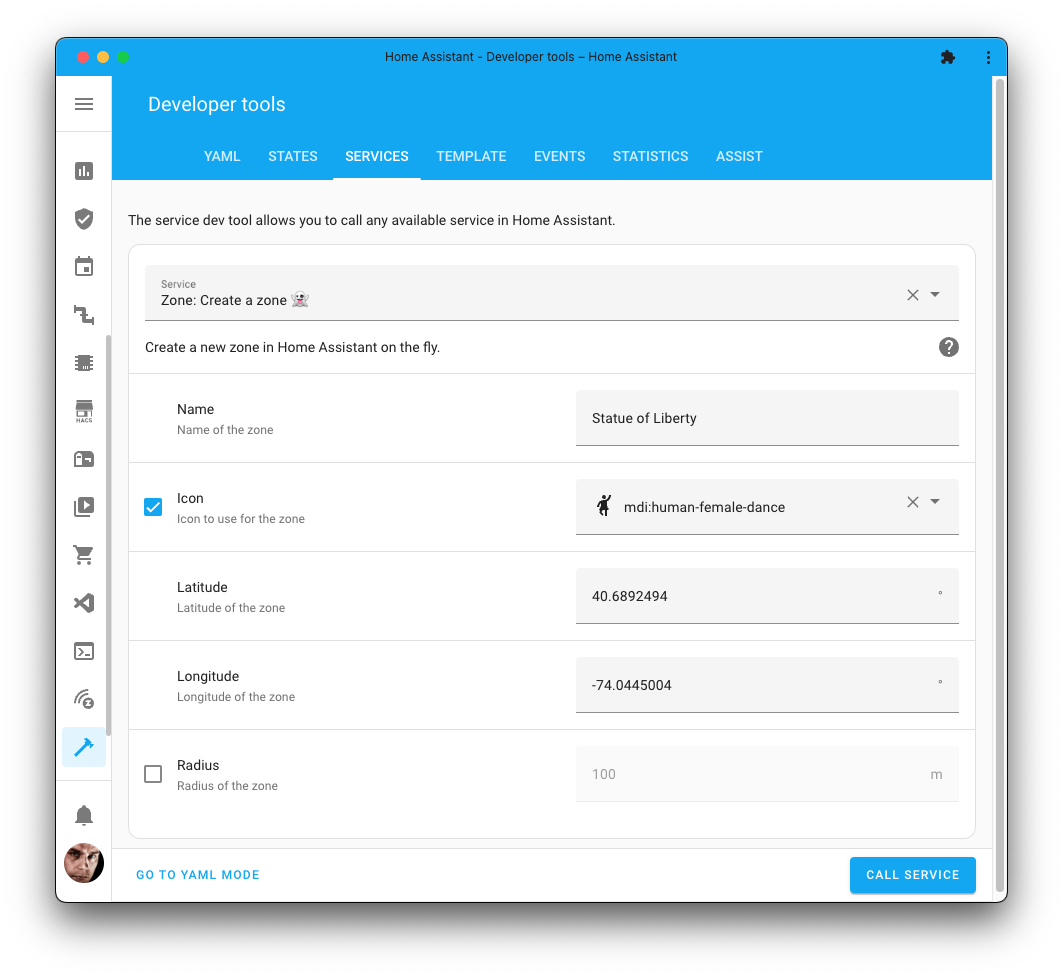
Adds a new zone to your Home Assistant instance.
Action properties | |
|---|---|
Zone: Create a zone 👻 | |
| |
No targets | |
No response | |
Newly added action | |

The radius attribute must be entered in meters.
A passive zone is only there for automations: it is not shown on the map, and does not change where people and device trackers are. Handy for a zone an automation creates for itself, like the spot you parked, and deletes again once it is done with it.
1 2 3 4 5 6 7action: zone.create data: name: "Statue of Liberty" icon: mdi:human-female-dance latitude: 40.6892494 longitude: -74.0445004 radius: 250
Update a zone
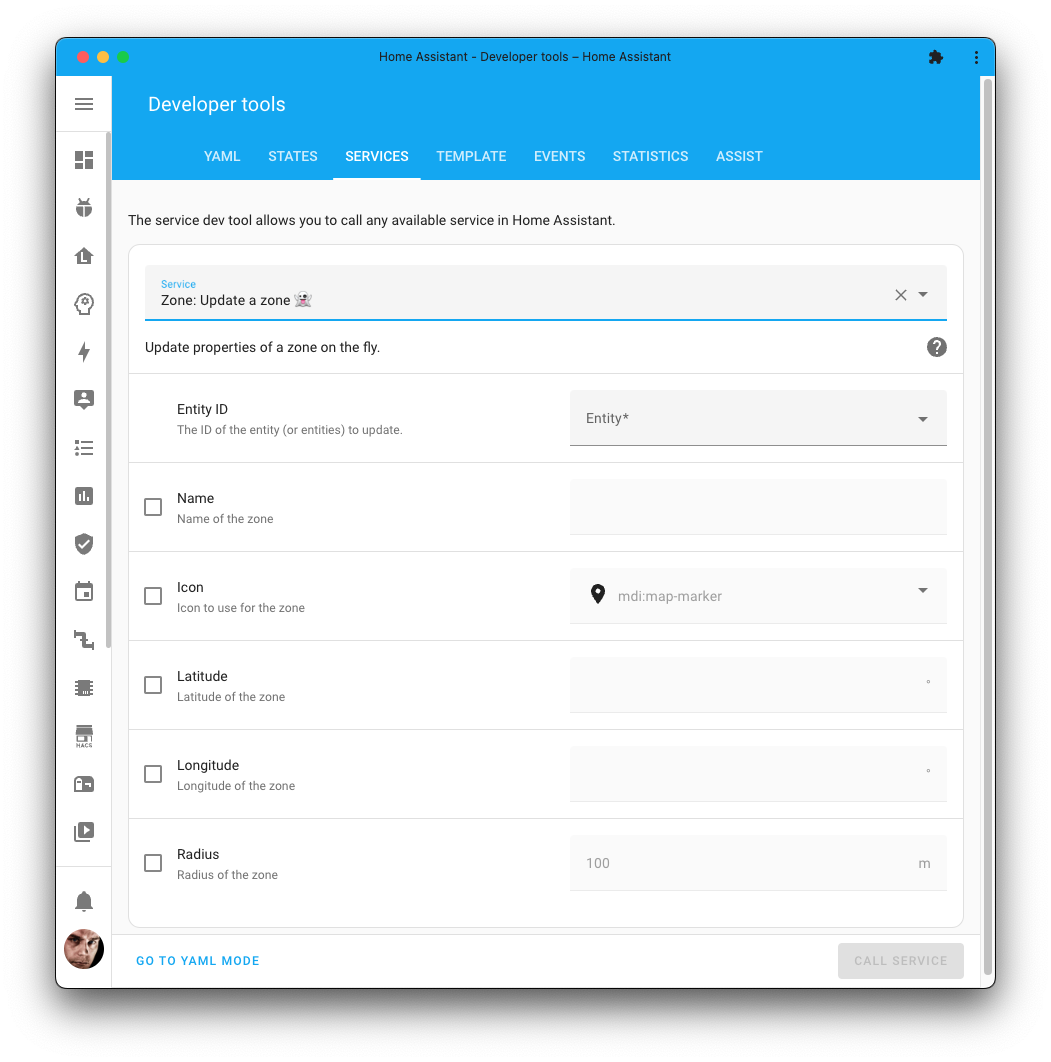
Updates properties of an existing zone.
The home zone (zone.home) can be moved and resized too, with latitude, longitude and radius. It is drawn from the location of your whole Home Assistant instance, so that is what changes: the same location Home Assistant’s own homeassistant.set_location sets, and the one everything else that uses your location follows. Its name and icon cannot be changed this way, its radius is in whole meters, and it is never passive.
Action properties | |
|---|---|
Zone: Update a zone 👻 | |
| |
No targets | |
No response | |
Newly added action | |
The radius attribute must be entered in meters. Only the parameters that are provided will be updated. Other parameters will remain unchanged. Set passive to make a zone only there for automations, or to make a passive zone an ordinary one again.
1 2 3 4 5action: zone.update data: entity_id: zone.statue_of_liberty name: "Statue of Liberty, New York" radius: 250
Resizing the home zone:
1 2 3 4action: zone.update data: entity_id: zone.home radius: 250
Delete a zone
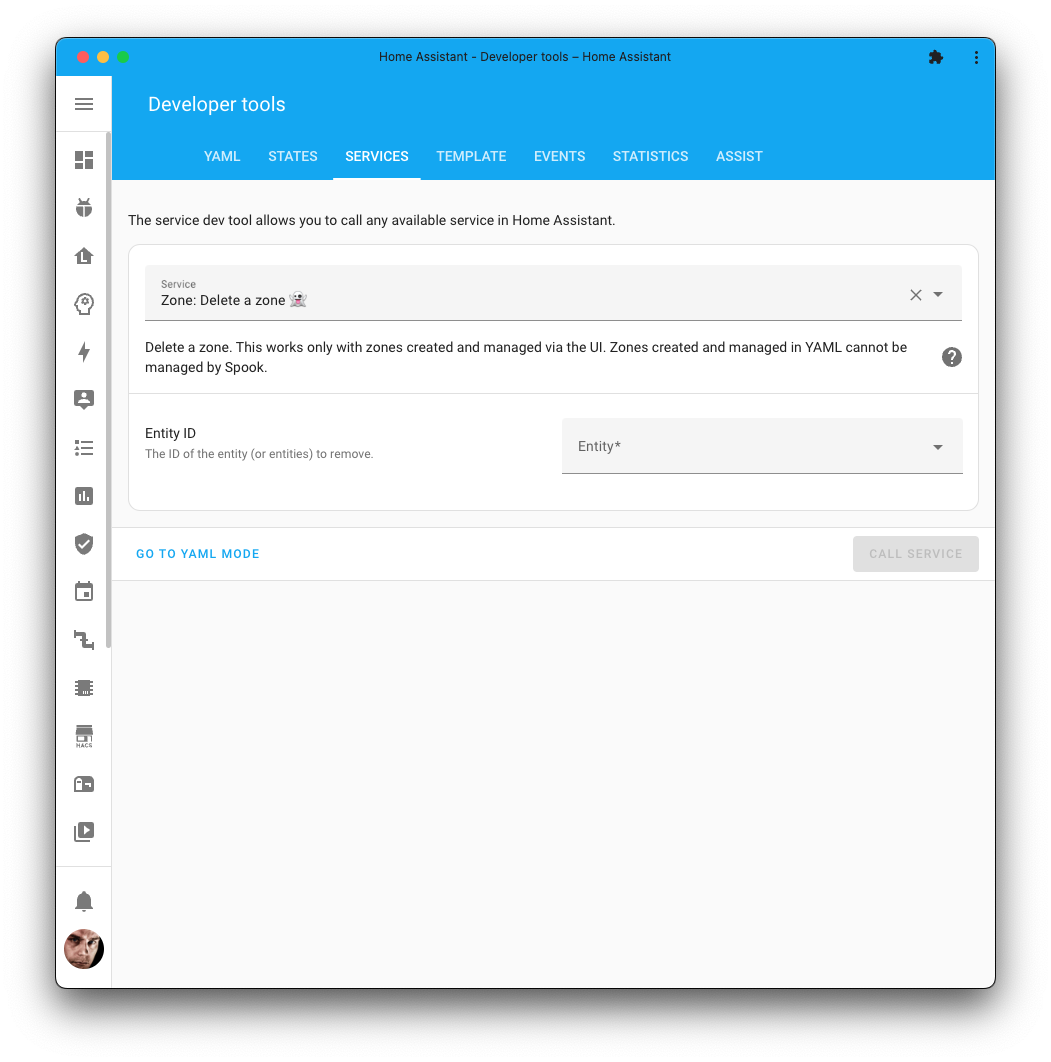
Deletes a zone from Home Assistant
Action properties | |
|---|---|
Zone: Delete a zone 👻 | |
| |
No targets | |
No response | |
Newly added action | |
Action data parameters | |||
|---|---|---|---|
Attribute | Type | Required | Default / Example |
| Yes |
|
1 2 3action: zone.delete data: entity_id: zone.statue_of_liberty
Or delete multiple at ones:
1 2 3 4 5action: zone.delete data: entity_id: - zone.central_park - zone.statue_of_liberty
Repairs
Spook has no repair detections for this integration.
Use cases
Some use cases for the enhancements Spook provides for this integration:
You could use these action to dynamically create and update zones around a car or a person using automations. Using these you could tell who is close to the car or notify if you are near a certain person.
Blueprints & tutorials
There are currently no known blueprints or tutorials for the enhancements Spook provides for this integration. If you created one or stumbled upon one, please let us know in our discussion forums.
Feature requests, ideas, and support
If you have an idea on how to further enhance this integration, for example, by adding a new action, entity, or repairs detection; feel free to let us know in our discussion forums.
Are you stuck using these new features? Or maybe you’ve run into a bug? Please check the Support page on where to go for help.