
The group helper integration lets you combine multiple entities into a single entity. Entities that are members of a group can be controlled and monitored as a whole.
This can be useful for cases where you want to control, for example, the multiple bulbs in a light fixture as a single light in Home Assistant, or maybe you want to combine all the wall plugs that control all your Christmas decorations into a single switch entity.
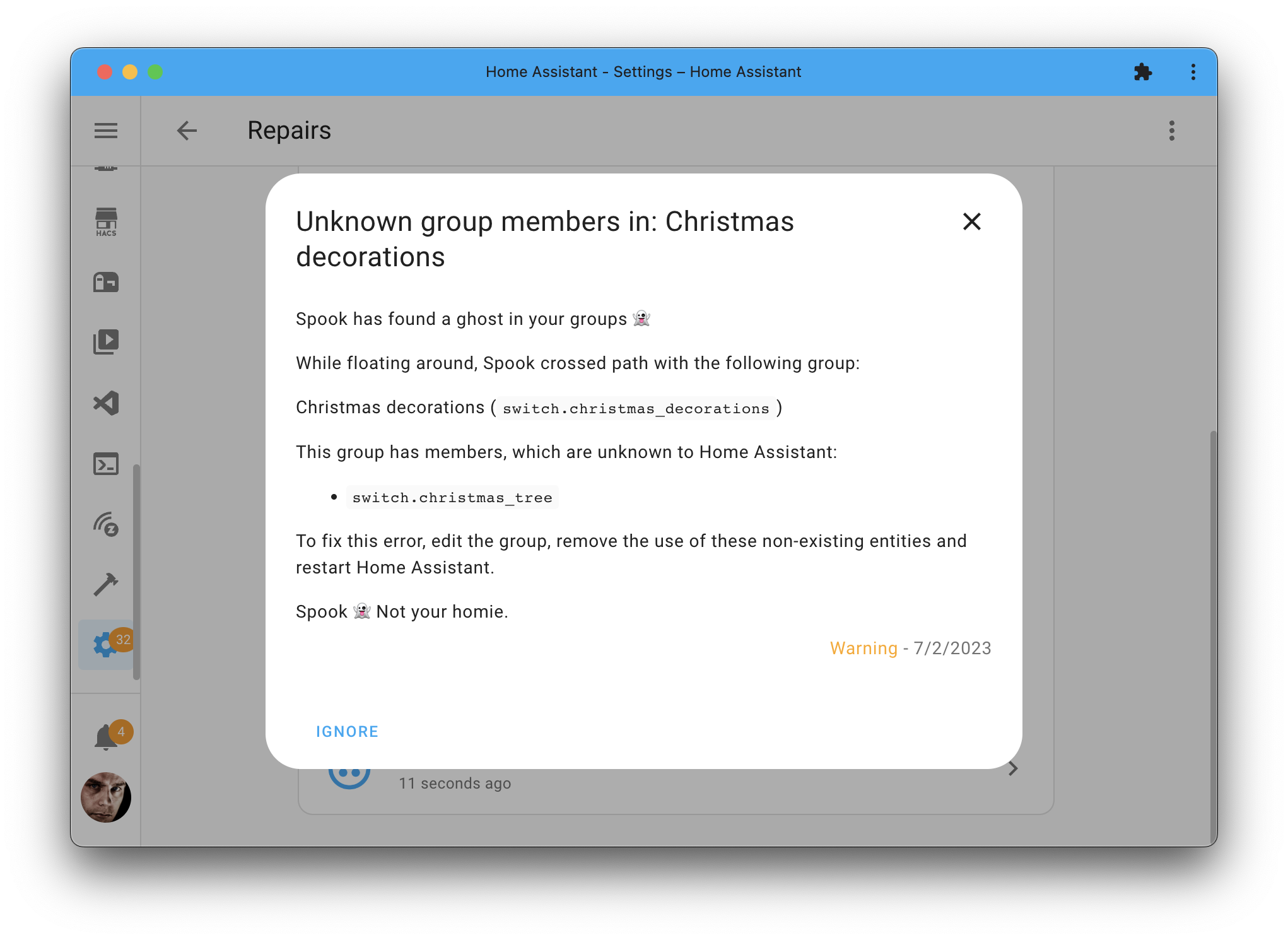
Figure 1:Spook found an issue with a group that has a non-existing entity as a member.
Devices & entities
Spook does not provide any new devices or entities for this integration.
Actions
Spook adds the following new actions to your Home Assistant instance:
Add members to a group
Adds entities to a group made through the interface, while Home Assistant is running.
Entities that are already in the group are left where they are, and the order you arranged the group in is kept: what joins is appended at the end.
Action properties | |
|---|---|
Group: Add members to a group 👻 | |
| |
No targets | |
No response | |
Newly added action | |

The group attribute names the group to add to. The members attribute lists the entities joining it, which have to exist and be a kind the group can hold.
Remove members from a group
Takes entities out of a group made through the interface, while Home Assistant is running.
Naming something that is not in the group does nothing rather than failing, so this is also how you clear out a member that no longer exists.
Action properties | |
|---|---|
Group: Remove members from a group 👻 | |
| |
No targets | |
No response | |
Newly added action | |
The group attribute names the group to take them out of. The members attribute lists the entities leaving it, whether or not they still exist.
Set the members of a group
Replaces the members of a group made through the interface with the ones given, while Home Assistant is running.
Action properties | |
|---|---|
Group: Set the members of a group 👻 | |
| |
No targets | |
No response | |
Newly added action | |
The group attribute names the group to change. The members attribute lists the entities it should hold from now on, which have to exist and be a kind the group can hold.
All three only work on groups created through the interface. A group defined in your YAML configuration is not something they can change, and they say so rather than failing quietly. The built-in group.set action does still work on that older kind of group, and it does not need a restart either.
If the group is set to hide its members, the ones that join it are hidden. A member that leaves stays hidden, the same as when you take one out through Settings: Home Assistant applies the hiding to the members a group has and never touches one that left. It is also the only safe answer, because the registry records that an integration hid an entity and never which one, so showing it again could undo what another helper still asks for. An entity that was already hidden, whether by you or by anything else, is left exactly as it is.
Which entities a group can hold is read from the same list Home Assistant’s own dialog offers, so it is not always one domain: a sensor group takes number and input_number alongside sensor.
A group holds either an entity ID or a registry ID, whichever the interface had when it was made, and all three actions treat the two names for one entity as one member. So an entity cannot end up in a group twice, and one stored under the name you did not use still goes when you ask for it.
Repairs
While Spook is floating around in your Home Assistant instance, it will raise repairs issues if it has found something that is not right.
Unknown source entity
Spook inspects all groups created to find group member entities that no longer exist. If Spook finds such a case, it will raise a repair issue, informing you about the problematic group and the member entity that is missing.
To resolve the raised issue, you can either remove the missing entity from the group or fix the referenced source entity. Spook will automatically remove the repair issue once the issue is fixed.
Feature requests, ideas, and support
If you have an idea on how to further enhance this integration, for example, by adding a new action, entity, or repairs detection; feel free to let us know in our discussion forums.
Are you stuck using these new features? Or maybe you’ve run into a bug? Please check the Support page on where to go for help.