
The recorder integration in Home Assistant is responsible for registering and storing everything that happens in your home. It is the backbone of the history and logbook features in Home Assistant but it also keeps information in a long-term format to power things like the energy dashboard and other graphs you see in Home Assistant.
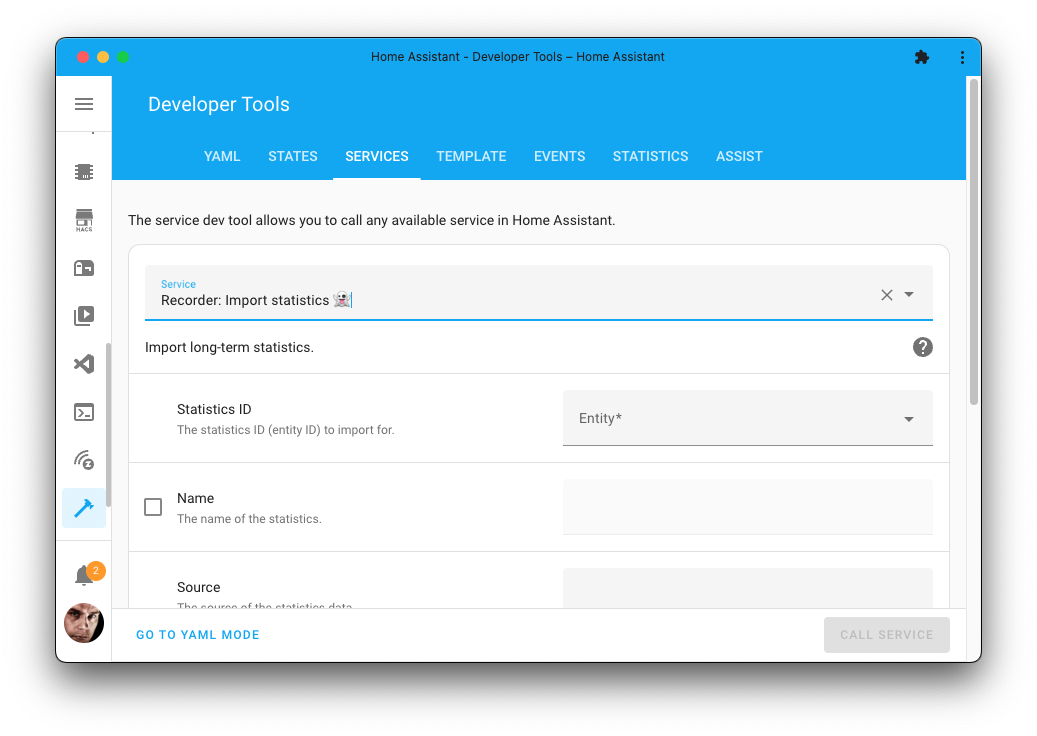
Figure 1:Spook adds an action that allows importing data into the recorder.
Devices & entities
Spook does not provide any new devices or entities for this integration.
Actions
Spook adds the following new actions to your Home Assistant instance:
Import statistics
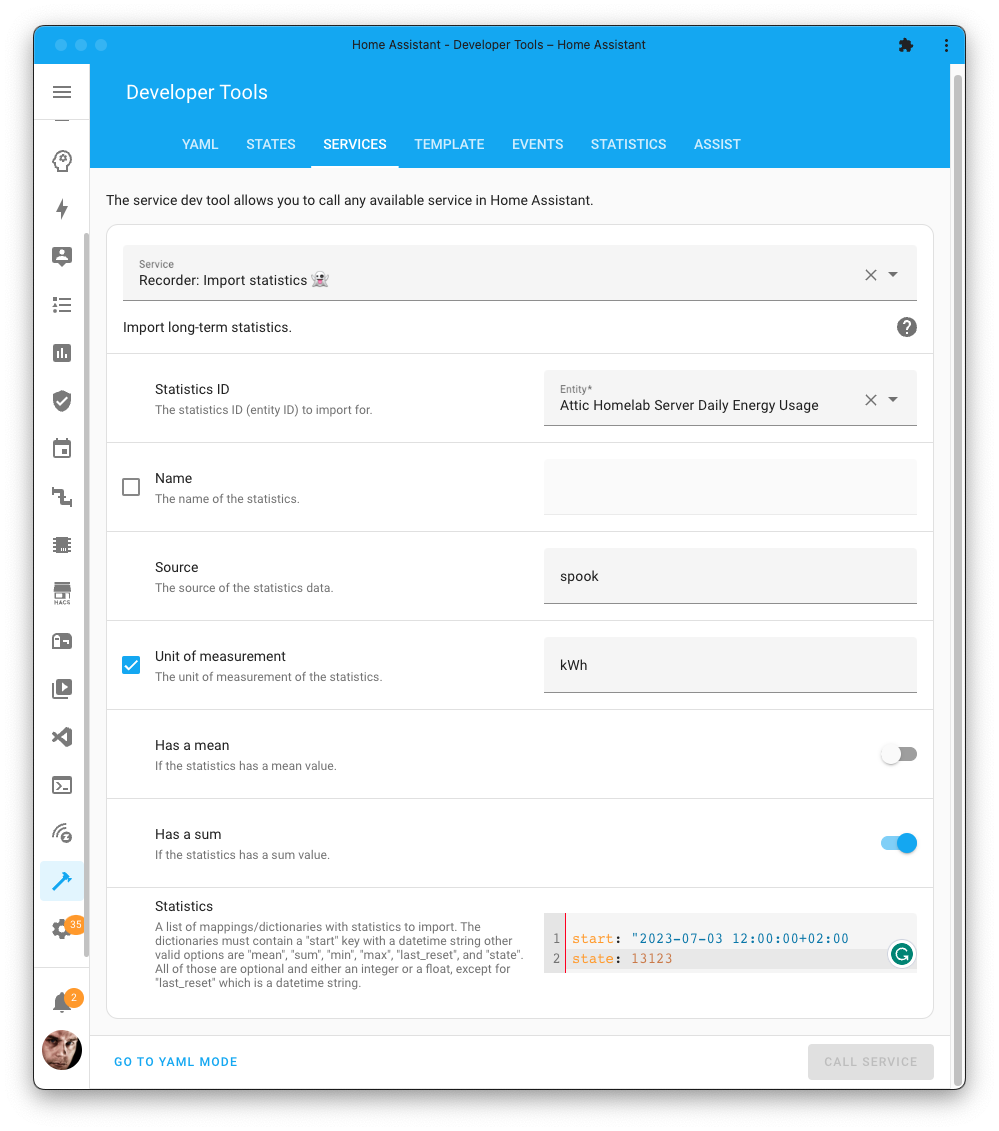
Manually import long-term statistics into the recorder database of Home Assistant.
Action properties | |
|---|---|
Recorder: Import statistics 👻 | |
| |
No targets | |
No response | |
Newly added action | |

More information about the mapping/meaning of fields in long-term statistics can be found on the Home Assistant data portal.
1 2 3 4 5 6 7 8 9 10action: recorder.import_statistics data: has_mean: false has_sum: true statistic_id: sensor.some_energy_sensor source: recorder unit_of_measurement: kWh stats: - start: "2023-07-03 21:00:00+02:00" sum: 123123
Repairs
While Spook is floating around in your Home Assistant instance, it will raise repairs issues if it has found something that is not right.
Orphaned long-term statistics
The recorder keeps long-term statistics separately from the states it records, and it keeps them by statistic ID rather than by entity. That means they outlive the entity they were collected for. Spook compares the statistics in the database against the entities that still exist and raises a repair issue listing the ones with nothing behind them anymore.
These are not harmful, but they are not free either: they take up database space, and they keep showing up in pickers and graphs long after the sensor they belonged to is gone.
To resolve the raised issue, open Developer tools > Statistics and fix them there, or remove them with the recorder.clear_statistics action. Spook will automatically remove the repair issue once the issue is fixed.
Use cases
Some use cases for the enhancements Spook provides for this integration:
Manually import data into the recorder, for example, historical data from a previous system or an energy provider that provides a CSV file with your historical energy usage.
Blueprints & tutorials
There are currently no known blueprints or tutorials for the enhancements Spook provides for this integration. If you created one or stumbled upon one, please let us know in our discussion forums.
Feature requests, ideas, and support
If you have an idea on how to further enhance this integration, for example, by adding a new action, entity, or repairs detection; feel free to let us know in our discussion forums.
Are you stuck using these new features? Or maybe you’ve run into a bug? Please check the Support page on where to go for help.