These are some Spook-specific features that don’t fit in any of the other categories. They are not particularly useful, but they are fun to play with (and maybe you actually have a use case for them).
They originally served as the proof of concept for Spook and left them in for the fun of it.
Actions
Spook offers the following useless actions:
Boo!
This acti will just always scare Home Assistant, causing this action call to fail. Calling this action in any of your automations will thus cause your automation to stop and error.
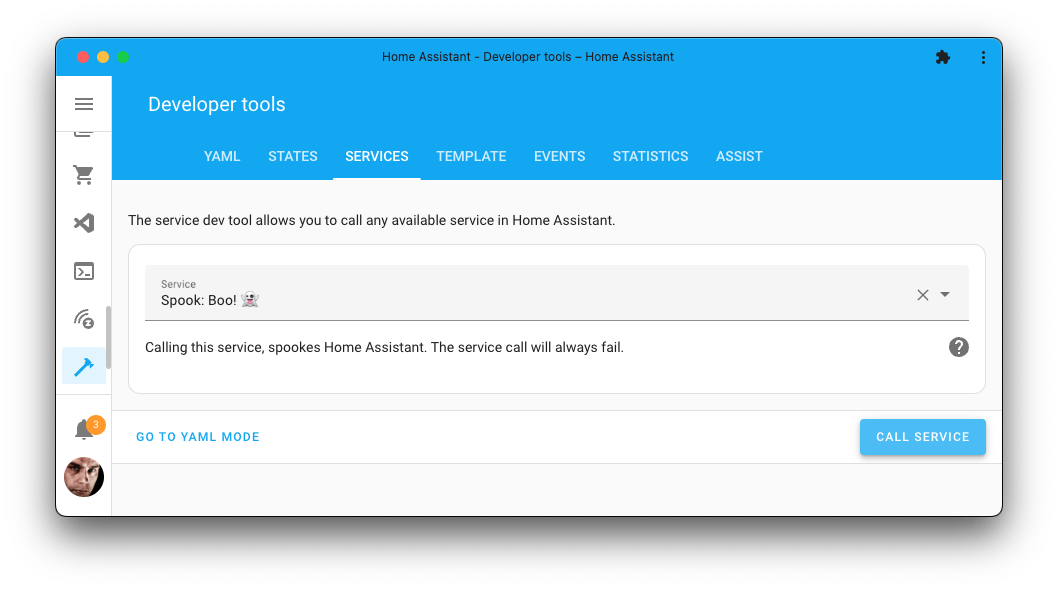
Action properties | |
|---|---|
Boo! 👻 | |
| |
No | |
No response | |
Newly added action | |

This action has no parameters, so you can just call it like this:
1action: homeassistant.boo
Random fail
This action call will randomly fail (and thus randomly stop your automation or script).
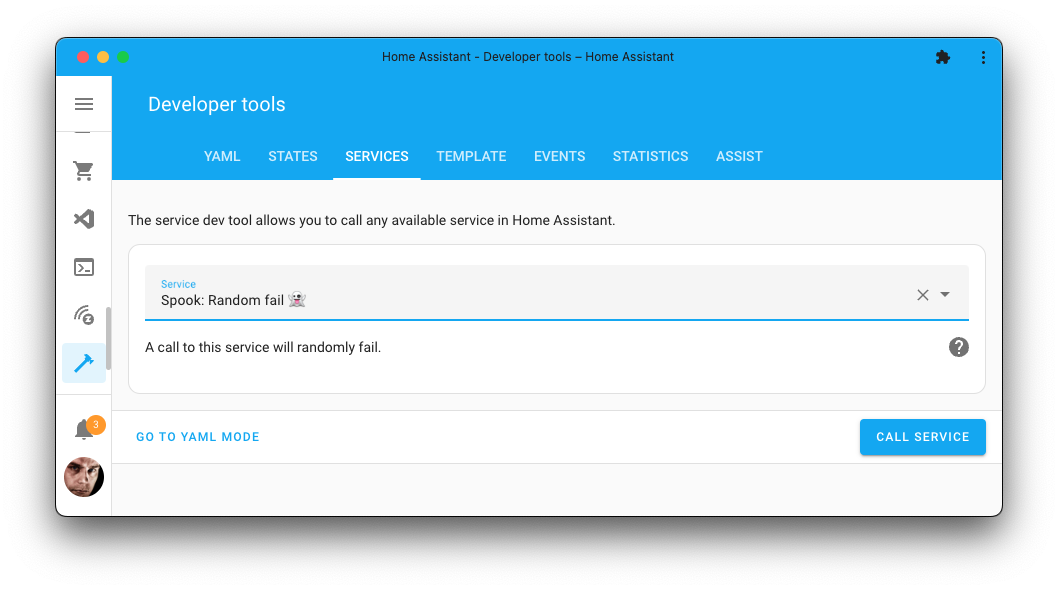
Action properties | |
|---|---|
Random fail 👻 | |
| |
No | |
No response | |
Newly added action | |
This action has no parameters, so you can just call it like this:
1action: homeassistant.random_fail
Wait for a condition
Waits until a condition is true, and carries on straight away if it already is.
Action properties | |
|---|---|
Wait for a condition 👻 | |
| |
No | |
Optional response | |
Newly added action | |
Home Assistant can wait for a template to turn true, and it can wait for a trigger. It cannot wait for a condition, so anything you can express with the condition building blocks has to be rewritten as a template before you can wait on it.
Takes one condition or a list of them, and a list means all of them, the same as anywhere else. Which is also what the visual editor sends, so both shapes have to work.
The other half of what this fixes is that it looks first. wait_for_trigger always waits for something to happen, so if the thing you are waiting for has already happened you wait forever, which is why people wrap it in an if. This checks the condition before waiting, so an automation that arrives late still carries on.
Returns completed when it is given a response_variable, which says whether the condition arrived or the timeout did.
Hold the sequence until the back door is shut:
1 2 3 4 5 6action: spook.wait_for_condition data: condition: condition: state entity_id: binary_sensor.back_door state: "off"
Give up after five minutes, and do something else about it:
1 2 3 4 5 6 7 8 9 10 11 12 13- action: spook.wait_for_condition data: timeout: "00:05:00" condition: condition: state entity_id: binary_sensor.back_door state: "off" response_variable: waited - if: "{{ not waited.completed }}" then: - action: notify.persistent_notification data: message: The back door is still open.
Known limitations
A template has to still be a template, which rules out the placement you would normally use. A script or automation renders every template in the action data before calling the action, so
{{ is_state(...) }}arrives as thetrueorfalseit happened to be at that moment, and a constant can never turn; that is refused rather than quietly waited on forever. What can be seen from here is whether any Jinja is left, not where the value came from, so a literalvalue_template: truein a direct call is refused too: by the time it arrives the two are the same thing. A template that still has its Jinja, from the API or the Actions tool, is watched like any other condition. Inside a script, wait on a template withwait_template, which is what that is for.A condition that asks about the run it is in cannot be watched either, and is refused for the same reason:
trigger, and Spook’s owncooldown,quota,triggered_by_user,not_triggered_by_userandtriggered_by_automation. An action call is not a trigger, so their answer would not mean anything.The condition is checked again every 30 seconds regardless of anything happening, so the wait can end up to half a minute late. That polling pass is what covers the turns that arrive without a state change: a plain time or sun condition, a
statecondition whosefor:runs out, atimecondition whose moment passes. A condition that turns true and false again inside those 30 seconds is missed entirely.Without a
timeoutit waits for as long as the script runs. Stopping the automation or script stops the wait with it. Atimeoutof zero means look now and do not wait, so it answerscompleted: falseunless the condition is already true.
Triggers
Spook offers the following triggers that are not tied to a specific integration:
Automation turned off
Fires when an automation is turned off.
This trigger has no options.
An automation that is off does nothing, and does not say so either. Turning one off while chasing a problem and forgetting to turn it back on is how a house quietly stops doing things. This trigger tells you the moment it happens, whoever or whatever did it: somebody in the editor, an automation, or a snooze.
Leave the target out to hear about every automation in the house. That is usually the question, and it saves labelling all of them just to be able to ask it.
When it fires, trigger.entity_id names the automation, and trigger.from_state and trigger.to_state hold its state just before and after. Whoever turned it off is on the context, so spook.triggered_by_user and spook.not_triggered_by_user can tell a person from an automation.
Example trigger in YAML
Every automation:
1trigger: spook.automation_turned_off
Only when a person did it, with a reminder:
1 2 3 4 5 6 7 8 9 10triggers: - trigger: spook.automation_turned_off conditions: - condition: spook.triggered_by_user actions: - action: notify.notify data: message: >- {{ state_attr(trigger.entity_id, 'friendly_name') }} was turned off. Remember to turn it back on.
Known limitations
Only turning an automation off counts. Reloading automations, changing an automation’s entity ID, or disabling it in the entity registry takes it away and puts it back (or not) without turning it off, and none of that fires.
An automation that starts out off, like one with
initial_state: false, was never turned off and does not fire either.One that becomes unavailable, because its configuration no longer validates, has not been turned off. The repairs Spook raises for broken automations are the place for that.
An automation turned off while Home Assistant was down, or while this trigger was not loaded, is not reported afterwards.
Cron schedule
Fires on a crontab schedule.
Trigger properties | |
|---|---|
Trigger | Cron schedule 👻 |
Trigger name |
|
Newly added trigger |
Trigger options | |||
|---|---|---|---|
Attribute | Type | Required | Default / Example |
| Yes |
|
Home Assistant’s own time triggers cover a time of day and a time pattern. Between them they cannot say “every weekday at seven” or “the last Friday of the month”. A crontab expression says either in one line, and anybody who has written a crontab already knows the syntax.
Five fields, in the usual order: minute, hour, day of month, month, day of week. Ranges and steps work, and so do the day-of-week extensions, so MON#2 is the second Monday of the month and 5L the last Friday.
When it fires, trigger.schedule holds the expression and trigger.now the local time it fired at.
One crontab rule catches people out, and it is not ours. Give both a day of the month and a day of the week, and cron combines them with “or”, not “and”. So 0 7 15 * 1 runs at seven on the 15th of the month, and at seven every Monday as well. Leave one of the two as * if you only mean the other.
That “or” holds only while both fields are plain lists of days. Let either one start with a *, a step like */2 included, and the two combine with “and” instead: 0 7 15 * */2 is the 15th, but only when it falls on a Sunday, Tuesday, Thursday or Saturday.
Example trigger in YAML
Every weekday at seven in the morning:
1 2 3trigger: spook.cron options: schedule: "0 7 * * 1-5"
The last Friday of the month, at three in the afternoon:
1 2 3trigger: spook.cron options: schedule: "0 15 * * 5L"
Known limitations
Nicknames are not supported.
@daily,@hourlyand friends are refused: write the five fields out. The automation will not load and will say what is wrong with the expression, which is better than finding out at the hour it was supposed to run.Seconds are not a field. Five fields, no more: some cron implementations take a sixth field for seconds, and that form is refused here. The shortest interval is one minute.
A schedule that can never come round is refused. The 30th of February (
0 0 30 2 *) is the obvious one. So is0 0 */20 * 1L: the*makes it an “and”, and no 1st or 21st of a month is ever also the last Monday. Neither loads, rather than loading and then waiting forever.Schedules follow your Home Assistant time zone, including daylight saving.
Device discovered
Fires when Home Assistant discovers something new it could set up.
Trigger properties | |
|---|---|
Trigger | Device discovered 👻 |
Trigger name |
|
Newly added trigger |
This trigger has no options.
Home Assistant finds devices and services on its own: on your network, over Bluetooth, on a USB port, or announced by another integration. What it finds ends up in the Discovered list under Settings > Devices & services, and there it waits for somebody to look. Nothing in Home Assistant tells you that something new turned up today. This trigger does.
When it fires, trigger.domain is the integration that could set it up, trigger.name what it calls itself, if it says, trigger.source how it was found (zeroconf, dhcp, bluetooth, usb, ssdp and so on), trigger.unique_id the identifier the integration gave it, trigger.title_placeholders everything the integration shows about it in the list, and trigger.flow_id the discovery itself.
Example trigger in YAML
1trigger: spook.device_discovered
Known limitations
A device that was found and never set up is found again after every restart, as Home Assistant does not remember what it found. Whatever turns up while Home Assistant starts is noted and not reported, then or later. A device that does not show itself until after the start, like one that only announces itself when it renews its network address, is reported, even when Home Assistant had found it before the restart. Ignoring a discovery you do not want stops it coming back, here and in Home Assistant alike.
Each device is reported once for as long as the automation is loaded. Found again within that time, it stays quiet. That takes the integration giving the device an identifier of its own, which nearly all do. One that does not is reported on every discovery.
Anything already on the Discovered list when the automation loads is not reported.
Moving a configuration from YAML into the interface is not a discovery, and does not fire this trigger.
Entity came back
Fires when an entity returns after having been unavailable for a while.
Trigger properties | |
|---|---|
Trigger | Entity came back 👻 |
Trigger name |
|
Targets | |
Newly added trigger |
Trigger options | |||
|---|---|---|---|
Attribute | Type | Required | Default / Example |
| Yes |
|
Home Assistant will tell you the moment something goes unavailable and the moment it returns, but not the difference between a blink and an outage. A router rebooting takes every device in the house through unavailable and back inside seconds, which is why an automation on the plain return is usually more trouble than it is worth.
This one only counts a return worth hearing about. The entity has to have been away for at least as long as you asked before coming back says anything, so the freezer that dropped off the network overnight reaches you and the reload of an integration does not.
The absence starts when the entity goes unavailable and ends when it reaches a state that is neither unavailable nor unknown. A device that reconnects before it has a reading passes through unknown on the way, and that neither ends the absence nor restarts it. An entity that only ever sits at unknown has not been away at all: that is the entity answering rather than the entity missing.
When it fires, trigger.entity_id names the entity that came back, trigger.gone_since is when it went, trigger.gone_for is how long it was away, and trigger.for is the minimum you configured.
Example trigger in YAML
Anything in the garage that has been gone for a quarter of an hour:
1 2 3 4 5trigger: spook.recovered target: area_id: garage options: for: "00:15:00"
One freezer, with a longer fuse, because a short outage is not worth waking up for:
1 2 3 4 5trigger: spook.recovered target: entity_id: sensor.freezer_temperature options: for: "02:00:00"
Known limitations
Nothing is recorded until Home Assistant has finished starting. An integration that sets itself up minutes into a start brings every one of its entities from unavailable to a value at that moment, and recording through the start would turn each of those into a recovery.
An absence that began before the trigger started watching still counts, and is measured from when the entity actually went. That is read from the entity itself, so an automation reloaded while a device was down still reports how long the device was down. A restart of Home Assistant is the exception: nothing survives it, so an absence that spans one is measured from the restart.
Only unavailable starts an absence. An entity that reports unknown for an hour never went away, and
spook.staleis the trigger for a sensor that is reachable but has nothing useful to say.A duration of zero is refused. It would fire on every flicker, which is the noise this trigger exists to filter out.
A target that names nothing is refused. An empty target is valid as far as the fields go, and would sit there watching no entities at all.
Expanding a device, area or floor covers its primary entities. Configuration and diagnostic entities are left out, the same as every other Home Assistant trigger that takes a target. Name one as an entity and it is always watched, whichever category it is in.
Device added
Fires when a new device is added to Home Assistant.
Trigger properties | |
|---|---|
Trigger | Device added 👻 |
Trigger name |
|
Newly added trigger |
This trigger has no options.
Home Assistant announces a new device on its event bus and nowhere else. A plug paired by somebody else in the house, or a Zigbee device that joined the network on its own, goes unnoticed until somebody browses the device list. This trigger tells you right away.
When it fires, trigger.device_id is the new device’s identifier, trigger.name its name, trigger.manufacturer and trigger.model what it is, trigger.area_id the area it was put in, if any, and trigger.integration the integration it belongs to. A device that is part of another one, like one outlet of a power strip, has no make or model of its own, so those are empty for it.
Example trigger in YAML
1trigger: spook.device_added
Only for devices joining your Zigbee network:
1 2 3 4 5triggers: - trigger: spook.device_added conditions: - condition: template value_template: "{{ trigger.integration == 'zha' }}"
Known limitations
Nothing fires while Home Assistant starts. Integrations register the devices they already had at that moment, and none of those are new to your house.
Adding an integration while Home Assistant runs can bring many devices along at once, a bridge with everything behind it for one. Each of them is a new device, and each fires the trigger.
A device added while the automation is not loaded, or while Home Assistant is down, is not reported afterwards.
Entity fell silent
Fires when nothing has written to an entity for a while.
Trigger properties | |
|---|---|
Trigger | Entity fell silent 👻 |
Trigger name |
|
Targets | |
Newly added trigger |
Trigger options | |||
|---|---|---|---|
Attribute | Type | Required | Default / Example |
| Yes |
|
Home Assistant will tell you an entity went unavailable. Plenty of things die without ever saying so: an integration that quietly stopped polling, a battery device that dropped off the network, an MQTT topic nobody publishes to any more. The state sits there looking perfectly healthy, holding a reading from last Tuesday.
This watches for silence rather than for a value. A sensor that keeps reporting the same 21.5 every minute is alive and is left alone; one that stops reporting altogether fires after the duration you set. Point it at whole areas, floors or labels and the entities underneath are watched one at a time, each firing separately when it falls silent.
When it fires, trigger.entity_id names the entity that went quiet, trigger.last_reported is when it last spoke, and trigger.for is the duration you configured.
Example trigger in YAML
Any sensor in the attic that has said nothing for an hour:
1 2 3 4 5trigger: spook.stale target: area_id: attic options: for: "01:00:00"
One specific sensor, with a shorter fuse:
1 2 3 4 5trigger: spook.stale target: entity_id: sensor.greenhouse_temperature options: for: "00:15:00"
Known limitations
Entities that were already silent when the trigger started watching are left alone. Only silence that falls while the automation is loaded counts. Without that, reloading your automations would replay everything that has gone quiet since, which is noise rather than news.
A duration of zero is refused. It would put the deadline on the moment the entity last spoke, which is always in the past, so the trigger would load and then do nothing at all.
A target that names nothing is refused for the same reason. An empty target is valid as far as the fields go, and would sit there watching no entities at all.
Repeating the same value counts as speaking. If you want to know about a sensor whose reading has not moved, that is a different question, and this trigger does not answer it.
Expanding a device, area or floor covers its primary entities. Configuration and diagnostic entities are left out, the same as every other Home Assistant trigger that takes a target. Name one as an entity and it is always watched, whichever category it is in:
entity_id: sensor.back_door_batteryworks even though the area it sits in would skip it.An entity with no state yet has nothing to be silent about, so it is skipped until it reports for the first time.
Integration added
Fires when an integration is added to Home Assistant.
Trigger properties | |
|---|---|
Trigger | Integration added 👻 |
Trigger name |
|
Newly added trigger |
This trigger has no options.
Fires for every integration added to Home Assistant, whether you added it, another admin did, or Home Assistant set one up by itself, like when a configuration in YAML is imported for the first time. Integrations that were already there when Home Assistant started are not added, so a restart stays quiet.
When it fires, trigger.domain is the integration, trigger.title the name of the new entry, trigger.entry_id its identifier, and trigger.source how it came to be: user for somebody adding it by hand, zeroconf or dhcp or another discovery for one that was found on the network, import for one from YAML.
Example trigger in YAML
1trigger: spook.integration_added
Known limitations
Ignoring a discovered device is stored as an integration entry too, so it is not offered again. Nothing is set up by that, so it does not fire this trigger.
An integration added while the automation is not loaded, or while Home Assistant is down, is not reported afterwards.
Integration failed to set up
Fires when a configuration entry has been unable to set itself up for a while.
Trigger properties | |
|---|---|
Trigger | Integration failed to set up 👻 |
Trigger name |
|
Newly added trigger |
Trigger options | |||
|---|---|---|---|
Attribute | Type | Required | Default / Example |
| Yes |
| |
| No | Every configuration entry |
An integration that cannot reach its hardware fails to set up, and Home Assistant keeps retrying it on a backoff that tops out at ten minutes. A device switched off overnight therefore fails dozens of times before morning, which is why this trigger waits rather than firing on each attempt. Set for to how long you are willing to let something be broken before you want to hear about it, and the ordinary hiccups at start-up sort themselves out well inside it.
Every configuration entry is watched unless you name some in entry_id. Each one is reported on its own, and only once per spell of trouble: an entry has to come back before it can be reported again.
When it fires, trigger.domain is the integration, trigger.title the name of the entry, trigger.entry_id its identifier, trigger.state the state it is stuck in, trigger.reason whatever Home Assistant recorded about why, and trigger.for the duration you configured.
Example trigger in YAML
Anything at all that has been broken for a quarter of an hour:
1 2 3trigger: spook.integration_failed options: for: "00:15:00"
One entry you care about more than the rest, with a shorter fuse:
1 2 3 4trigger: spook.integration_failed options: for: "00:05:00" entry_id: 01JQ8XW3M4YPKZ7N2VRTGH6BDC
Known limitations
The states that count as failure are
setup_error,setup_retry,migration_errorandfailed_unload. An entry you disabled yourself sits innot_loadedand is not a failure.A duration of zero is refused. A deadline of now fires straight away, so zero would report every failure the moment it happened, which is the flapping this trigger exists to sit out.
Reloading your automations starts the clock again for anything broken at that moment. That is on purpose: an entry stuck in
setup_errornever announces itself a second time, so waiting for a change would mean never hearing about whatever was already broken.One report per spell of trouble. If you want to be nagged until somebody fixes it, repeat the action yourself.
Position reached
Fires when a cover or valve gets to a position, or moves past it.
Trigger properties | |
|---|---|
Trigger | Position reached 👻 |
Trigger name |
|
Targets | |
Newly added trigger |
Trigger options | |||
|---|---|---|---|
Attribute | Type | Required | Default / Example |
| Yes |
|
Home Assistant tells you a cover opened or closed. Everything in between, the blinds at a third or the valve half open, is a position it reports but never announces.
It fires when the reported position gets to the one you asked for, from either side. Moving past it counts too: a cover moving quickly can report 20 and then 40 without ever reporting the 30 in between. Already being there is not reaching it, and it does not fire again until the cover has left and come back. The position is a whole percentage, from 0 (closed) to 100 (fully open).
When it fires, trigger.entity_id names the cover or valve, trigger.position is the position you asked for, and trigger.from_state and trigger.to_state hold its state just before and after.
Example trigger in YAML
The blinds are at a third:
1 2 3 4 5trigger: spook.position_reached target: entity_id: cover.blinds options: position: 30
Known limitations
A cover or valve that can only open and close reports no position, and never fires.
Coming back from unavailable at the position does not count: there is no position before it to compare with. That includes the start of Home Assistant, when a cover is restored with the position it had before the restart.
A position reached while Home Assistant is down, or while this trigger is not loaded, is not reported afterwards.
There is no trigger for a cover that got stuck on its way. The position somebody asked for is not in the cover’s state, so a cover stopped on purpose looks the same from the outside.
Repair issue created
Fires when a new repair issue turns up.
Trigger properties | |
|---|---|
Trigger | Repair issue created 👻 |
Trigger name |
|
Newly added trigger |
Trigger options | |||
|---|---|---|---|
Attribute | Type | Required | Default / Example |
| No | Defaults to every integration | |
| No |
|
Home Assistant collects repair issues on the repairs page and waits to be visited. This is for the ones you would rather hear about: an integration reporting it needs attention, or Spook finding a reference to something that no longer exists.
Only genuinely new issues fire it. An integration re-reporting an issue that is already there counts as an update rather than a creation, which is what keeps a repair checked on a schedule from firing on every pass.
When it fires, trigger.domain is the integration that reported it, trigger.issue_id names the issue, and trigger.severity, trigger.is_fixable, trigger.breaks_in_ha_version, trigger.learn_more_url and trigger.translation_key carry the rest of what the registry knows.
Example trigger in YAML
Anything at all, as soon as it turns up:
1trigger: spook.repair_issue_created
Only the serious ones, and only from two integrations:
1 2 3 4 5 6 7 8trigger: spook.repair_issue_created options: domain: - hue - zwave_js severity: - critical - error
Repair issue resolved
Fires when a repair issue goes away.
Trigger properties | |
|---|---|
Trigger | Repair issue resolved 👻 |
Trigger name |
|
Newly added trigger |
Trigger options | |||
|---|---|---|---|
Attribute | Type | Required | Default / Example |
| No | Defaults to every integration |
Something got fixed, or whatever was complaining stopped complaining. Handy for closing a notification you opened when the issue turned up.
When it fires, trigger.domain and trigger.issue_id say which issue it was.
Example trigger in YAML
1 2 3trigger: spook.repair_issue_removed options: domain: hue
Known limitations
There is no severity to filter on, and none in the trigger variables. By the time Home Assistant announces a removal the issue is already out of the registry, so the only things left to say about it are which integration it belonged to and what it was called.
Ignoring an issue is not resolving it. It stays in the registry, so this does not fire for it.
Target temperature reached
Fires when the temperature of a thermostat or water heater reaches its target.
Trigger options | |||
|---|---|---|---|
Attribute | Type | Required | Default / Example |
| No |
|
A thermostat or water heater knows where it is heading and where it is. Home Assistant tells you when either one changes, but not when the one arrives at the other, which is the moment that matters.
It fires when the measured temperature gets to the target, coming from either side. Jumping past it counts too: a sensor that reports in whole degrees can go from below the target to above it without ever reporting the target itself. Once there, it does not fire again until the temperature has left and come back.
Heating and cooling to a band, in heat_cool, is there anywhere inside the band. A thermostat that can do both reports a setpoint and a band whatever mode it is in; in heat_cool the band counts, in any other mode the setpoint.
The tolerance is how close still counts as there, in the device’s own unit. Some thermostats settle just short of their setpoint and stay there; a tolerance of half a degree catches those. Zero, the default, means the target itself.
When it fires, trigger.entity_id names the device, and trigger.from_state and trigger.to_state hold its state just before and after.
Example trigger in YAML
The bathroom is warm:
1 2 3trigger: spook.target_temperature_reached target: entity_id: climate.bathroom
Every thermostat upstairs, close enough:
1 2 3 4 5trigger: spook.target_temperature_reached target: floor_id: upstairs options: tolerance: 0.5
Known limitations
Changing the target does not count. Moving the setpoint onto the temperature the room already is did not make the room get anywhere. The next trip is judged against the new target.
A device that is off reaches nothing: the room drifting onto the setpoint of a heater that is off is weather. Switching it on while the room is already there does not count either.
A device coming back from unavailable has no temperature before it to compare with, so arriving back at the target does not count.
A water heater that does not report its current temperature, and many do not, can never be seen reaching anything.
A temperature that reaches its target while Home Assistant is down, or while this trigger is not loaded, is not reported afterwards.
Update installed
Fires when an update entity reports a different installed version.
Trigger properties | |
|---|---|
Trigger | Update installed 👻 |
Trigger name |
|
Targets | |
Newly added trigger |
This trigger has no options.
Home Assistant tells you when an update is available, but not when one went in. This one fires when it did, and it does not care how: somebody pressed install, the device updated itself overnight, or it was updated with the app of whoever made it. A rollback is a different version too, and fires the same way.
The installed version is the only thing it reads. Whether an install is in progress says little: plenty of integrations never report it, and a device that reboots into its new firmware drops off before it can say it is done. The last version seen is remembered while the entity is unavailable, so a device that goes away mid-install and comes back on the new version is reported when it comes back.
When it fires, trigger.entity_id names the update entity, trigger.from_version is the version it was on, and trigger.to_version the version it is on now. trigger.from_state and trigger.to_state hold the entity’s state just before and after the change. On a device that went away mid-install, trigger.from_state is that of it being unavailable, which is why the versions are given separately.
Example trigger in YAML
Everything with an update entity in the garage:
1 2 3trigger: spook.update_installed target: area_id: garage
One plug, telling you what it went to:
1 2 3 4 5 6 7 8 9 10triggers: - trigger: spook.update_installed target: entity_id: update.plug_firmware actions: - action: notify.notify data: message: >- The plug went from {{ trigger.from_version }} to {{ trigger.to_version }}.
Known limitations
A version that changed while Home Assistant was down is not reported. That includes Home Assistant itself: it is updated by restarting, so its own new version is already there when the trigger starts watching.
Nothing is remembered until Home Assistant has finished starting. Integrations fill in their versions as they set up, some first from what they restored and then from the device, and none of that is an install.
An entity that reports its version for the first time has not installed it. The first version seen is where it starts.
An install that fails is not reported: the version stays the same, and that is all this trigger looks at.
Only update entities are watched. A device, area, floor or label is narrowed down to the update entities in it.
A target that names nothing is refused. An empty target is valid as far as the fields go, and would sit there watching no entities at all.
Unlike most triggers that take a target, a device, area or floor also covers its configuration and diagnostic entities. Update entities nearly always are one, so leaving them out would leave out almost every update there is. Hidden entities are still left out.
Script started
Fires when a script starts a run.
This trigger has no options.
Home Assistant does announce every script run, as a script_started event. Using it means knowing that event exists, and typing its name and the script into an event trigger by hand: no picker, no area or label, nothing in the list of triggers. It also announces runs the script refuses straight after, like a second one for a script that may only run once at a time.
This one sits in the list of triggers with a target picker, and only fires for a run that is let through. Leave the target out to hear about every script.
When it fires, trigger.entity_id names the script, and trigger.from_state and trigger.to_state hold its state just before and after. Whoever started it is on the context, so spook.triggered_by_user and spook.not_triggered_by_user work with it.
Example trigger in YAML
Every script in the kitchen:
1 2 3trigger: spook.script_started target: area_id: kitchen
One script:
1 2 3trigger: spook.script_started target: entity_id: script.movie_night
Known limitations
A run that is refused does not count: the script is already running and may only run once, has as many runs as it may, or would start itself in a way that is not allowed.
A run of a queued script counts when it joins the queue. That is when Home Assistant lets it through; it starts once the one before it is done.
A restarted script counts: the new run is a start, even though the old one is stopped for it.
There is no trigger for a script finishing. Whether a run finished or was stopped, by a reload or by Home Assistant shutting down, cannot be told apart from the outside, and a trigger that cannot tell them apart would fire on every reload.
A script started while Home Assistant was down, or while this trigger was not loaded, is not reported afterwards.
Spook’s state trigger
Fires when an entity changes state, for everything a target covers.
Trigger properties | |
|---|---|
Trigger | Spook’s state trigger 👻 |
Trigger name |
|
Targets | |
Newly added trigger |
Trigger options | |||
|---|---|---|---|
Attribute | Type | Required | Default / Example |
| No |
| |
| No |
| |
| No | ||
| No |
| |
| target | No |
|
| No |
| |
| No |
| |
| No | ||
| No |
| |
| No |
| |
| No |
| |
| No | ||
| No |
| |
| No | ||
| No |
| |
| No |
| |
| No |
| |
| No |
| |
| No |
| |
| No |
|
Home Assistant’s state trigger takes entities, one by one. This one takes a target: a label, an area, a floor, a device, or a mix. Put a label on every outside door and one trigger covers all of them, including the door you add next year.
Which entities. Everything the target covers, kept to the domains, integrations, integration entries and device classes you list. Leave the target out and those lists pick the entities from everything Home Assistant has instead: device_class: door alone is every door in the house. Without a target, at least one of them is needed. Picked this way, only primary entities count, and entities without a registry entry can only be picked by domain. Within one list any match will do; across lists, all of them must hold: a door sensor from ZHA is a binary_sensor, from zha, of class door. Through a device, area or floor, or a label on one of those, only the primary entities count, the way Home Assistant does it, so the battery and signal strength sensors of a device stay out of it. A label put on an entity itself names that entity, so it counts whatever it is. Then the same again, but to leave things out: exclude_target and the exclude_ lists. Without an exclude_target, or with one that names nothing, the exclude_ lists apply to everything the target covers. Leaving out an area leaves out everything in it, the diagnostic entities too. The target is followed as it changes: a new entity with the label joins straight away.
Which changes. A different state, from any state to any state, unless you narrow it down with from or not_from, and to or not_to. An attribute that changes while the state stays the same does not count, unless you turn on attribute_changes. With attribute, it follows that attribute instead of the state, and attribute_changes has nothing to add. Values are compared as text, so a brightness of 255 and a "255" typed into the editor are the same thing.
Unavailable and unknown are ignored on both sides: a router rebooting does not take every door through a change. Turn off ignore_unavailable to trigger on them. Naming them in from or to while they are ignored is refused, since that trigger could never fire. Following an attribute, from and to are its values, so an attribute that says unknown is fine to ask for.
How many. behavior works like it does on Home Assistant’s own entity triggers. each fires for every entity on its own. first fires when the first one of the target gets there, and not again until none of them are. all fires the moment the last one gets there. Both are about getting to a state, so they need to or not_to. While unavailable and unknown are ignored, entities in those states do not take part: a door that is not answering does not keep all from firing.
When. for waits until the change has held for that long. Held means that value: changing again in between calls it off, even to another value that would pass to. For first and all it is the target that has to hold, not one entity. blip_tolerance lets something drop to unavailable or unknown for a moment while for is running without starting the wait over: it counts as still there until it is back, as it was, or the tolerance runs out. Coming back as anything else calls the wait off. If the time runs out during the blip, it fires as soon as the blip is over. delay waits before firing, whatever happens in between, like a delay at the start of your actions. With both, delay starts once for is done.
When it fires, trigger.entity_id names the entity, trigger.from_state and trigger.to_state hold its state just before and after the change, and trigger.for and trigger.delay the durations you asked for. With delay, those are still the states of the moment it changed.
Example trigger in YAML
Any outside door left open for five minutes, except the garage:
1 2 3 4 5 6 7 8 9 10 11trigger: spook.state_changed target: label_id: outside_door options: domain: binary_sensor device_class: door exclude_target: area_id: garage to: "on" for: "00:05:00" blip_tolerance: "00:00:30"
Known limitations
A change while Home Assistant is down, or while this trigger is not loaded, is not reported afterwards. What is waiting out
forordelayis dropped on a restart or a reload of the automation, the same as a delay in the actions.An entity already in the state when the trigger loads has not changed, so
fordoes not start counting until it does.Filters that leave nothing are not refused. The target can still grow into them.
Picking without a target follows the entity registry. An entity without a registry entry that shows up later is picked by its domain the next time the registry changes, not the moment its first state is written.
A filter on integration, integration entry or device class reads the entity registry, because a change there is what makes the trigger look again. Entities without a unique ID are not in it, and never pass one of those filters.
User added
Fires when somebody is given a login to Home Assistant.
Trigger properties | |
|---|---|
Trigger | User added 👻 |
Trigger name |
|
Newly added trigger |
This trigger has no options.
A new person able to log in to your house is something you would rather hear about than stumble upon. Home Assistant does announce it, but only as an event on its bus: no notification, nothing on a page you visit.
When it fires, trigger.user_id is the new user’s identifier, trigger.name their name, and trigger.is_admin whether they were made an administrator.
Example trigger in YAML
1trigger: spook.user_added
Only for new administrators:
1 2 3 4 5triggers: - trigger: spook.user_added conditions: - condition: template value_template: "{{ trigger.is_admin }}"
Known limitations
Users Home Assistant makes for itself are left out. An integration that acts on its own, like Supervisor or Home Assistant Cloud, is given a user of its own when it is set up, and nobody can log in as one of those.
A user added while the automation is not loaded, or while Home Assistant is down, is not reported afterwards.
Conditions
Spook offers the following conditions that are not tied to a specific integration:
Triggered by a user
Passes when a person set this run going.
Condition properties | |
|---|---|
Triggered by a user 👻 | |
Condition name |
|
Newly added condition |
Condition options | |||
|---|---|---|---|
Attribute | Type | Required | Default / Example |
| No | Defaults to any user |
What this can see is the person behind the trigger. Somebody flipping a switch, tapping something in the app, or calling an action from the API leaves their user account on the state change or event that follows, so an automation reacting to it finds them. A template trigger inherits it too, when the change that made the template true was theirs. A schedule, the sun, or an integration acting on its own leaves nobody.
If the person attribute is not provided, the condition passes for anybody. Name one or more people to narrow it, and Spook matches against the user account each of them is linked to.
1condition: spook.triggered_by_user
To only pass when specific people did it:
1 2 3 4 5condition: spook.triggered_by_user options: person: - person.frenck - person.joe
Known limitations
A person needs a user account linked to them. Linking one is optional on the People page, and a person without one has nothing to match against, so naming them means this condition can never pass.
Forcing a run is not attributed to anybody. Home Assistant hands the caller’s account to the automation, but the run itself starts a fresh context carrying only a pointer to the caller’s, and nothing resolves that pointer back, so there is nobody for this condition to find.
And pressing “Run actions” skips your conditions anyway.
automation.triggerdefaults toskip_condition: true, so the conditions between the trigger and the actions are not evaluated at all and the actions simply run. That is Home Assistant’s behaviour for every condition, not something particular to these two. If you want a forced run to be recognised as nobody’s doing, the condition has to sit inside the actions, in anifor achoose, where it is evaluated.Where the user comes from depends on the trigger. A state trigger, an event trigger and a template trigger all carry it, as long as a person caused the change behind them. A time trigger or a sun trigger cannot, because there is no change to inherit from and nobody was behind it.
A long-lived access token counts as the person who created it. An API call authenticated with one looks exactly like that user.
Not triggered by a user
Passes when nobody set this run going.
Condition properties | |
|---|---|
Not triggered by a user 👻 | |
Condition name |
|
Newly added condition |
This condition has no options. It passes for anything Spook cannot pin on a person: a schedule, the sun, an integration acting on its own, or a run forced with the Run button.
“Nobody started this” is a different question from “not this particular person”, which is why this condition takes no options. To exclude specific people, wrap Triggered by a user in Home Assistant’s own Not condition:
1 2 3 4 5condition: not conditions: - condition: spook.triggered_by_user options: person: person.frenck
That passes for anybody who is not Frenck, and also when nobody was behind it at all, which is what “not Frenck” means.
Cooldown
Passes when this automation or script has not run within a given time.
Condition properties | |
|---|---|
Cooldown 👻 | |
Condition name |
|
Newly added condition |
Condition options | |||
|---|---|---|---|
Attribute | Type | Required | Default / Example |
| duration | Yes |
|
A built-in cooldown, so an automation does not re-fire more often than you want it to. An automation that has never run passes, because there is no last run to be too close to.
It replaces the most copy-pasted template condition there is:
{{ now() - this.attributes.last_triggered >= timedelta(minutes=5) }}Chance
Passes a set percentage of the time, chosen at random on every check.
Condition properties | |
|---|---|
Chance 👻 | |
Condition name |
|
Newly added condition |
Condition options | |||
|---|---|---|---|
Attribute | Type | Required | Default / Example |
| Yes |
|
For when you want a bit of variation rather than the same thing every evening.
Triggered by an automation
Passes when another automation set this run going.
Condition properties | |
|---|---|
Triggered by an automation 👻 | |
Condition name |
|
Newly added condition |
Condition options | |||
|---|---|---|---|
Attribute | Type | Required | Default / Example |
| No | Defaults to any automation |
Home Assistant gives every automation run its own context, and everything that run writes carries it along. So an automation reacting to a change another automation made can find out who did it, and it keeps working when there is a script in between, because the script runs under the automation’s context rather than making one of its own.
What Home Assistant does not do is turn a context back into the automation it belongs to, so Spook listens for automations announcing themselves and remembers the mapping for the last few hundred runs. That is far more than enough: the run being asked about happened a fraction of a second earlier.
If the automation attribute is not provided, the condition passes for any automation. Name one or more to narrow it.
1condition: spook.triggered_by_automation
To only pass when specific automations did it:
1 2 3 4 5condition: spook.triggered_by_automation options: automation: - automation.goodnight - automation.leaving_home
Known limitations
The automation asking does not count. Put this inside an
ifor achoosein your actions and the run’s own context is the nearest one in reach, so without skipping it this would pass for a schedule or a person just as readily. It looks past itself and reports whatever set the run going.Only automations are recognised. A script running on its own, without an automation having started it, is not an automation and this does not pass for it.
Spook has to have been running when the other automation ran. It remembers the mapping while your automations are loaded, so a run from before a restart is no longer known.
It names the automation that started the chain, not the last thing in it. If your goodnight automation calls a script and that script turns off the lights, this reports the automation, which is almost always what you wanted to ask about.
Only the last few hundred automation runs are remembered. Not a practical limit for a condition being checked right after the run it is asking about, but it is a limit.
Repair issue outstanding
Passes while a repair issue is outstanding.
Condition properties | |
|---|---|
Condition | Repair issue outstanding 👻 |
Condition name |
|
Newly added condition |
Condition options | |||
|---|---|---|---|
Attribute | Type | Required | Default / Example |
| No | Defaults to every integration | |
| No |
|
For holding something back until the house is in order: not running a nightly job while an integration is complaining, or nagging once a day for as long as anything is wrong.
Leave the options out and any outstanding issue passes it. Name integrations, severities, or both, and all the named parts have to match the same issue.
1condition: spook.repair_issue_present
Only if something serious is wrong with one of these:
1 2 3 4 5 6 7condition: spook.repair_issue_present options: domain: - hue - zwave_js severity: - critical
Known limitations
Issues somebody has ignored do not count. Ignoring one is telling Home Assistant to stop bringing it up, and this is not the place to overrule that.
Nor do issues waiting to be confirmed. Home Assistant keeps issues across a restart so it can remember which were ignored, but marks them as awaiting confirmation until the integration reports them again. Counting those would pass on every startup for anything that has since been fixed.
An issue with no severity recorded cannot answer a question about severity, so naming severities leaves it out.
Temperature at its target
Passes when the temperature of a thermostat or water heater is at its target.
The question spook.target_temperature_reached answers once, asked whenever you like: is the bathroom warm yet, is the water hot. It reads the devices the same way the trigger does, so the two never disagree.
With several devices, any passes when one of them is there and all when every one is. A band, in heat_cool, counts anywhere inside it, and the tolerance is how close still counts as there, in the device’s own unit.
Only when the bathroom is warm:
1 2 3condition: spook.is_at_target_temperature target: entity_id: climate.bathroom
Every room upstairs, close enough:
1 2 3 4 5 6condition: spook.is_at_target_temperature target: floor_id: upstairs options: behavior: all tolerance: 0.5
Known limitations
A device that is off is not at its target: it is not working towards one.
A device that is unavailable is left out, the same as Home Assistant’s own conditions do. With nothing left to ask, it does not pass,
allincluded: a bathroom whose thermostat is unavailable is not known to be warm.A water heater that does not report its current temperature, and many do not, is never at its target.
There is no
foroption yet. Home Assistant’s own entity conditions have one; it needs history from the recorder to be right after a restart, which is a job of its own.
Run allowance left
Passes while this automation has runs to spare.
Condition properties | |
|---|---|
Run allowance left 👻 | |
Condition name |
|
Newly added condition |
The counterpart to Cooldown: that one spaces runs out, this one caps how many there are. Handy for something that is fine now and then but not fifty times a day, like a notification about a door that keeps being opened.
The window rolls. A limit of five over a day means no more than five runs in any twenty-four hours, not five between midnights, so the allowance comes back gradually as the oldest run drops out of the window rather than all at once.
Runs are counted from what actually ran. Home Assistant does not announce an automation whose conditions turned the run down, so an attempt something else held back costs nothing.
At most five runs in any twenty-four hours:
1 2 3 4condition: spook.quota options: limit: 5 period: "24:00:00"
Twice an hour, and no more:
1 2 3 4condition: spook.quota options: limit: 2 period: "01:00:00"
Known limitations
The count starts again after a restart. Spook remembers the runs while it is running, and nothing is written down, so a restart hands back a full allowance.
The limit cannot go above 64. Spook keeps the last 64 runs of each automation, and answering a larger limit would need a longer memory than that. Above 64 runs in a window it is not really an allowance any more.
The period cannot go above 366 days. Since a restart clears the count anyway, an allowance measured over more than a year is not something this could answer honestly.
Automations only. Scripts are left out on purpose: Home Assistant announces a script run before deciding whether it is allowed, so a call turned down for already running would spend an allowance on a run that never happened. A condition checked anywhere other than an automation has nothing to count against and passes.
Only the 256 most recently run automations are followed. Beyond that the least recently used one is forgotten, which hands its allowance back. Not something a normal house will reach, but it is a limit.
The run doing the asking does not count against itself. A condition sitting inside the actions is checked while the run is already under way, so without that a limit of one would turn down every run.
Entity is available
Passes when an entity is there to talk to.
Condition properties | |
|---|---|
Condition | Entity is available 👻 |
Condition name |
|
Targets | |
Newly added condition |
Condition options | |||
|---|---|---|---|
Attribute | Type | Required | Default / Example |
| No |
|
A speaker that is not always powered, a smart plug that comes and goes: before asking them to do anything, you want to know they are there. Any state counts, off included, except unavailable and unknown. Written by hand, that is a not around a state condition listing both, every time.
With several entities, any passes when one of them is there and all when every one is.
Only when the bathroom speaker is on the network:
1 2 3condition: spook.is_available target: entity_id: media_player.bathroom
Everything in the living room is there:
1 2 3 4 5condition: spook.is_available target: area_id: living_room options: behavior: all
Known limitations
An entity named outright that does not exist at all is not available.
A disabled entity that only comes along with a device, an area, a floor or a label is left out: it should not keep a whole room from ever being all there. One that is enabled but has no state, because its integration is not loaded, is not available.
With nothing left to ask, it does not pass,
allincluded.There is no
foroption. To act on an entity that has been away for a while, Home Assistant’s own state trigger does that: tounavailable, with afor. Entity came back fires when it returns after such an absence.
All of these happened
Fires when every one of several triggers has fired inside the same window of time, in any order.
Trigger properties | |
|---|---|
Trigger | All of these happened 👻 |
Trigger name |
|
Targets | No targets |
Newly added trigger |
Home Assistant cannot say “and” over time. The triggers on an automation are a list where any one of them is enough to set it off, and for covers a single state holding still. “These three things have all happened in the last five minutes, in whatever order” is not expressible, and written out by hand it takes a helper entity for each thing and an automation to set each one.
Triggers in order already covers the case where the order matters. The difference here is that it does not.
The window slides. Each trigger’s most recent turn is remembered, anything that happened longer ago than the window is forgotten as time passes, and the trigger fires the moment what is left covers all of them. That means a member going stale does not throw away the others: two things that happened a minute ago still count towards a set that a third completes later.
It fires once per set. After it goes off, every trigger has to have its turn again, or the next turn of any one member would complete the same set over and over.
When it fires, trigger.triggers holds each member’s own payload in the order you configured them, trigger.span is how far apart the oldest and newest actually were, and trigger.within is the window you set. The trigger that completed the set is lifted to the top as well, so trigger.entity_id, trigger.to_state and trigger.event mean what they mean in any other trigger, and a condition asking who set the run going still gets an answer.
Example trigger in YAML
Somebody arrived and the door opened, in either order, within two minutes. Which is a person coming home, rather than a door opening on its own:
1 2 3 4 5 6 7 8 9 10trigger: spook.all_of options: within: "00:02:00" triggers: - trigger: state entity_id: device_tracker.phone to: home - trigger: state entity_id: binary_sensor.front_door to: "on"
It nests, so the members can be Spook’s own triggers too. Here, two things that both went quiet inside the same hour, which is a bridge dying rather than a sensor dying:
1 2 3 4 5 6 7 8 9 10 11 12 13 14trigger: spook.all_of options: within: "01:00:00" triggers: - trigger: spook.stale target: entity_id: sensor.kitchen_temperature options: for: "00:30:00" - trigger: spook.stale target: entity_id: sensor.hallway_temperature options: for: "00:30:00"
Known limitations
Two triggers is the minimum. One trigger combined with nothing is that trigger, and it is refused rather than accepted as a pointless wrapper.
A window is required, and one of zero is refused. Without a window the set would eventually be complete forever, and with a window of zero nothing could ever happen inside it.
A member firing twice replaces its earlier turn rather than counting as two members. Every trigger has to have had its own turn.
If one of the triggers cannot be attached, the whole thing refuses to load and the automation is marked unavailable. A set missing a member can never be complete, so loading and sitting there silent would be worse.
The window is measured from when Spook saw each trigger fire, not from anything inside the event. For a state change those are the same moment; for a trigger that reports something that happened earlier, they are not.
Once it settles
Fires once a trigger has stopped firing for a while, so a burst of them arrives as one.
Trigger properties | |
|---|---|
Trigger | Once it settles 👻 |
Trigger name |
|
Targets | No targets |
Newly added trigger |
A motion sensor in a hallway does not report motion, it reports motion twenty times. A power meter crossing a threshold crosses it back and forth for a minute. Acting on the first of those is usually wrong and acting on every one of them is always wrong, and what you wanted was to hear about it once, after it settled.
Written out by hand that takes a helper entity and a second automation to turn it off again, which is the most rebuilt pattern on the forum.
Every firing starts the quiet period over. When it finally runs out, the trigger fires once for the whole burst. It is not Watchdog, which is about something that never happened at all.
Give it more than one trigger and they are waited out together: any of them starts a burst, any of them keeps it going, and the lot arrives as a single report.
When it fires, trigger.count is how many firings were collapsed, trigger.span is how long the burst lasted from its first firing to its last, not counting the quiet after it, and trigger.for is the quiet period you set. The last firing of the burst is lifted to the top, all of it: trigger.entity_id and trigger.to_state mean what they mean in any other trigger, an MQTT trigger’s trigger.payload or a calendar trigger’s trigger.calendar_event are there too, and a condition asking who set the run going still gets an answer. What stays the automation’s own is trigger.id, trigger.platform and the description, and trigger.for is always the quiet period, not the for of a nested state trigger.
Example trigger in YAML
Motion in the hallway, reported once, thirty seconds after it stopped:
1 2 3 4 5 6 7trigger: spook.debounce options: for: "00:00:30" triggers: - trigger: state entity_id: binary_sensor.hallway_motion to: "on"
Somebody is finished at the front door, whichever way they left it:
1 2 3 4 5 6 7 8trigger: spook.debounce options: for: "00:01:00" triggers: - trigger: state entity_id: binary_sensor.front_door - trigger: state entity_id: lock.front_door
Known limitations
Something that never stops firing is never reported. That is what waiting for quiet means, and it is worth knowing before you point this at a sensor that fires every ten seconds all day with a quiet period of a minute.
The firings before the last are counted, not kept. A burst has no ceiling, and holding hundreds of payloads to hand over would be a memory cost for something nobody reads. The last firing is the one you get, and you get all of it.
It fires on the way out, never on the way in. If you want to act on the first of a burst and ignore the rest, that is a different thing and this is not it.
A quiet period of zero is refused. It would report the first thing to happen and collapse nothing, which is the trigger you already had, only later.
If one of the triggers cannot be attached, the whole thing refuses to load and the automation is marked unavailable. A trigger that is not listening cannot start the burst you asked about.
Triggers in order
Fires when several triggers happen one after another, in the order given.
Trigger properties | |
|---|---|
Trigger | Triggers in order |
Trigger name |
|
Newly added trigger |
Home Assistant fires on one thing happening. It does not fire on one thing happening after another, which is most of what a house actually does: the door opened and then somebody moved in the hall, the washing machine started and then went quiet, the alarm armed and then a window opened. Written by hand that needs a helper entity per step and an automation to set each one.
Only the step being waited for is listening. So a later step firing before an earlier one is not a match, and neither is the same step firing twice. Two steps is the minimum, because one trigger in order is just a trigger.
Once the last step lands the trigger fires and goes back to waiting for the first, so it works as many times as you like.
When it fires, trigger.steps holds what each step reported, in order, and trigger.duration is how long the whole thing took. The step that completed the sequence is also lifted to the top, so trigger.entity_id, trigger.from_state and trigger.to_state describe the thing that finished it, and spook.triggered_by_user and friends find the person behind it there.
Example trigger in YAML
Somebody came in through the front door and walked into the hall, within two minutes:
1 2 3 4 5 6 7 8 9 10trigger: spook.sequence options: timeout: "00:02:00" steps: - trigger: state entity_id: binary_sensor.front_door to: "on" - trigger: state entity_id: binary_sensor.hallway_motion to: "on"
Same again, but disarming the alarm halfway through means it no longer counts:
1 2 3 4 5 6 7 8 9 10 11 12 13 14trigger: spook.sequence options: timeout: "00:02:00" steps: - trigger: state entity_id: binary_sensor.front_door to: "on" - trigger: state entity_id: binary_sensor.hallway_motion to: "on" reset: - trigger: state entity_id: alarm_control_panel.home to: disarmed
Known limitations
One step is one trigger. A step that should accept either of two things is written as one trigger that matches both, for example a state trigger naming several entities.
The
timeoutcovers the whole run, counted from the first step. There is no per-step deadline.A run under way is abandoned when Home Assistant restarts, along with everything else in memory. A sequence half-finished before a restart starts again from the first step.
The automation’s
trigger_variablesdo not reach the steps. Home Assistant hands those to a trigger platform, not to a trigger like this one, so a step whose own configuration is written as a template referring to them has nothing to render from. Steps written the ordinary way are unaffected.A step Home Assistant refuses to accept disables that automation, and so does a first step it accepts but then cannot listen for. Both are caught while the automation loads, and both say why in the log, rather than leaving it sitting there never firing.
A later step that cannot be attached is a different matter, because the automation is already running by then. That run stalls where it stands and the log is the only place it says so. Same for a
resetthat cannot be attached: the steps keep working, so nothing else gives it away.
While a condition holds
Fires when a condition turns true, and keeps firing on an interval for as long as it stays true.
Trigger properties | |
|---|---|
Trigger | While a condition holds |
Trigger name |
|
Newly added trigger |
The nagging trigger. The garage is open and you want to hear about it again in ten minutes, and ten minutes after that, until somebody closes it.
Home Assistant can already do this inside a script, with a repeat holding a while and a delay. What that costs is a script run held open for as long as the garage is open: the automation’s mode has to allow for it, a reload ends it, and core stops a loop that has gone round ten thousand times. As a trigger none of that applies, because nothing is being held open between one firing and the next.
It fires the moment the condition arrives, not while it already holds, so loading an automation whose condition happens to be true does not set it off. Counting starts again at one each time the condition comes back.
When it fires, trigger.times is how many times it has fired this spell, starting at one, and trigger.every is the interval. The first firing also carries the state change that made the condition turn, in the same way Condition turned true does, so spook.triggered_by_user finds the person who caused it there. The firings after that carry nobody, because nobody makes a clock come round.
Example trigger in YAML
Remind me every ten minutes while the garage is open and nobody is home:
1 2 3 4 5 6 7 8 9 10 11trigger: spook.while options: every: "00:10:00" condition: - condition: state entity_id: cover.garage state: open for: "00:10:00" - condition: numeric_state entity_id: zone.home below: 1
Known limitations
The first firing happens the moment the condition turns true, and the interval starts from there. To wait before the first reminder, put a
for:on the condition itself, as the example does.A spell is abandoned when Home Assistant restarts, along with everything else in memory. A condition that is still true after the restart is not a new arrival, so it will not start nagging again until it goes false and true once more.
Everything Condition turned true says about what can and cannot be watched applies here as well, including the 30-second polling pass and the conditions that are refused.
Watchdog
Fires when something that was expected to happen does not happen in time.
Trigger properties | |
|---|---|
Trigger | Watchdog |
Trigger name |
|
Newly added trigger |
Every trigger Home Assistant has fires because something happened. The interesting failures are the other kind: the back door opened and nobody walked into the hall, the washing machine started and never finished, the nightly backup began and never reported in. Written by hand that is a helper entity, a timer, and two automations to keep them in step.
Arming starts a clock. The expected trigger arriving before it runs out calls the watch off and nothing fires. The clock running out is what fires it.
Arming again while already waiting starts the wait over rather than running a second one, because the wait is measured from the arming and the latest one is the one that counts. The expected trigger arriving while nothing is being waited for does nothing at all.
When it fires, trigger.armed_by is what the arming trigger reported and trigger.within is the wait it was given. Nothing else is carried, and no user: a watchdog fires because nothing happened, at a moment a clock came round, and nobody makes a clock come round. An automation that wants to name the person can read trigger.armed_by.
Example trigger in YAML
The back door opened and nobody came into the hall within two minutes:
1 2 3 4 5 6 7 8 9 10 11trigger: spook.watchdog options: within: "00:02:00" arm: - trigger: state entity_id: binary_sensor.back_door to: "on" expect: - trigger: state entity_id: binary_sensor.hallway_motion to: "on"
Known limitations
A watch under way is abandoned when Home Assistant restarts, along with everything else in memory. Something armed before a restart is not waited for after it.
A watchdog that cannot attach either half is refused, which disables that automation and says why in the log. Half a watchdog would either never start or always fire, and neither is worth leaving running.
The automation’s
trigger_variablesdo not reach the arming and expected triggers, for the same reason they do not reach a sequence’s steps: Home Assistant hands those to a trigger platform, not to a trigger like this one.
Entity will not settle
Fires when an entity changes state more often than it should within a stretch of time.
Trigger properties | |
|---|---|
Trigger | Entity will not settle |
Trigger name |
|
Targets | |
Newly added trigger |
A sensor that goes on and off and on again, a device that drops off the network and comes back, a binary sensor sitting right on its threshold. Each change on its own looks perfectly fine, and Home Assistant has no way to say “this one has changed five times in five minutes and something is wrong with it”.
Changes of state, not writes. An entity reporting the same value over and over is chatty, not unsettled, so attribute changes do not count. Going to unavailable and back does count, which is the case this exists for. An entity appearing or disappearing does not: that is not it going back and forth.
The window slides, so this is always about the most recent changes rather than a fresh count every five minutes.
It reports once per spell. Once it has said an entity will not settle it stays quiet until that entity does settle, because a storm of alerts about a storm helps nobody. Settling means the last few changes no longer fall inside the window, and the next time it starts up is news again. A change that still leaves the last few inside the window is the same spell carrying on, however long it has been since the one before it.
When it fires, trigger.entity_id names the entity, trigger.from_state and trigger.to_state are the change that tipped it over, and trigger.changes and trigger.within are what was asked for.
Example trigger in YAML
Tell me about a door sensor that cannot make up its mind:
1 2 3 4 5 6trigger: spook.flapping target: entity_id: binary_sensor.back_door options: changes: 5 within: "00:05:00"
Or watch everything with a label, and hear about whichever one starts misbehaving:
1 2 3 4 5 6trigger: spook.flapping target: label_id: battery_powered options: changes: 10 within: "00:15:00"
Known limitations
Counting starts when the automation loads. Changes from before that are not known, so an entity that has been flapping all afternoon is reported the next time it changes enough, not immediately.
Each entity is counted on its own. Ten entities changing twice each is not one entity changing twenty times, which is the point, but it does mean a target full of entities that each flap a little goes unreported.
What is remembered is the last
changesmoments per entity, and no more, so a large target costs little. That is also whychangesstops at a thousand: past that it is not describing a flapping entity any more. It is forgotten entirely when Home Assistant restarts or the entity leaves the target.
Condition turned true
Fires when a condition goes from false to true.
Trigger properties | |
|---|---|
Trigger | Condition turned true 👻 |
Trigger name |
|
Newly added trigger |
Trigger options | |||
|---|---|---|---|
Attribute | Type | Required | Default / Example |
| Yes | Any condition, built the ordinary way |
A condition is true or false, and the moment it turns is worth reacting to. Home Assistant has a trigger for a template turning true and one for a state arriving, but nothing that takes the condition building blocks, so anything more involved than a single state has to be rewritten as a template.
Takes one condition or a list of them, and a list means all of them, the same as anywhere else. Which is also what the visual editor sends, so both shapes have to work.
Only the turn counts. A condition that is already true when the automation loads is not a change, so this does not fire for it, the same as the template trigger. And going back to false is not a turn either.
When it can tell which change turned the condition, trigger.entity_id names that entity and trigger.from_state and trigger.to_state are what it moved between, the same three the template trigger hands over. Which is also what carries the user through: an automation starts a fresh context, so spook.triggered_by_user and friends read the person off trigger.to_state.
It can tell only when every part of the condition announces its own turns, which means state, numeric_state and zone conditions without a for: and without a value_template, plus any and, or or not built out of those. Anything else and all three are empty, because a condition with a part that turns quietly gets discovered by the next unrelated change, and naming that change would be naming the wrong one.
Example trigger in YAML
1 2 3 4 5 6 7 8 9 10 11trigger: spook.condition_met options: condition: condition: and conditions: - condition: state entity_id: binary_sensor.back_door state: "on" - condition: numeric_state entity_id: sensor.outside_temperature below: 5
Known limitations
A condition that names entities is noticed the moment one of them changes. That covers
state,numeric_stateandzoneconditions, atimecondition pointing at aninput_datetime, and anyand,orornotbuilt out of those. Anumeric_statethreshold naming an entity counts as well, so a condition that turns because the line moved rather than the measurement is noticed just as quickly; Home Assistant leaves that entity out of what it reports a condition depends on, so Spook picks it up separately. A template condition names nothing that can be read off the config, and a plain time or sun condition has nothing to name, so those are asked again every 30 seconds.Naming the entities is not the same as noticing every turn, because not every turn arrives as a state change. A
statecondition with afor:turns true when the duration runs out, and atimecondition turns true when the clock passes the moment, and neither of those moves an entity. Those are picked up by the 30-second polling pass instead, so up to half a minute late.A condition that turns true and false again within those 30 seconds is missed entirely rather than noticed late. If what you are watching flickers, trigger on the thing that flickers.
A condition that asks about the run it is in cannot be watched, so
trigger, and Spook’s owncooldown,quota,triggered_by_user,not_triggered_by_userandtriggered_by_automation, are refused. Nothing has fired yet at the point this decides whether to fire, so their answer would not mean anything.The same goes for a template that reaches for
trigger,this,repeatorwait. Home Assistant hands those to a running automation or script, and there is no run here to take them from, so such a condition is refused rather than left never firing. A template that merely mentions the word is fine:sensor.trigger_countis an entity, not the trigger.A condition that cannot be built at all disables that automation and says why in the log, rather than sitting there never firing.